Drag to create
You can set allowDragToCreate= to enable this function
Example
Example
import { EventItem, RangeTime, TimelineCalendar } from '@howljs/calendar-kit';
import React, { useState } from 'react';
import { SafeAreaView, StyleSheet } from 'react-native';

const Calendar = () => {
  const [events, setEvents] = useState<EventItem[]>([]);

  const _onDragCreateEnd = (event: RangeTime) => {
    const randomId = Math.random().toString(36).slice(2, 10);
    const newEvent = {
      id: randomId,
      title: randomId,
      start: event.start,
      end: event.end,
      color: '#A3C7D6',
    };
    setEvents((prev) => [...prev, newEvent]);
  };

  return (
    <SafeAreaView style={styles.container}>
      <TimelineCalendar
        viewMode="week"
        events={events}
        allowDragToCreate
        onDragCreateEnd={_onDragCreateEnd}
        // Optional
        dragCreateInterval={120}
        dragStep={20}
        theme={{
          dragHourContainer: {
            backgroundColor: '#FFF',
            borderColor: '#001253',
          },
          dragHourText: { color: '#001253' },
          dragCreateItemBackgroundColor: 'rgba(0, 18, 83, 0.2)',
        }}
        // End Optional
      />
    </SafeAreaView>
  );
};

export default Calendar;

const styles = StyleSheet.create({
  container: { flex: 1, backgroundColor: '#FFF' },
});
Props
dragCreateInterval
Initial time interval when you drag to create event. Default is 60 minutes
numberonDragCreateEnd
Callback function will be called when the create box is dropped
functiondragStep
Handle the navigation time when navigating to next/previous view while dragging. Default is 10 minutes
numbertheme
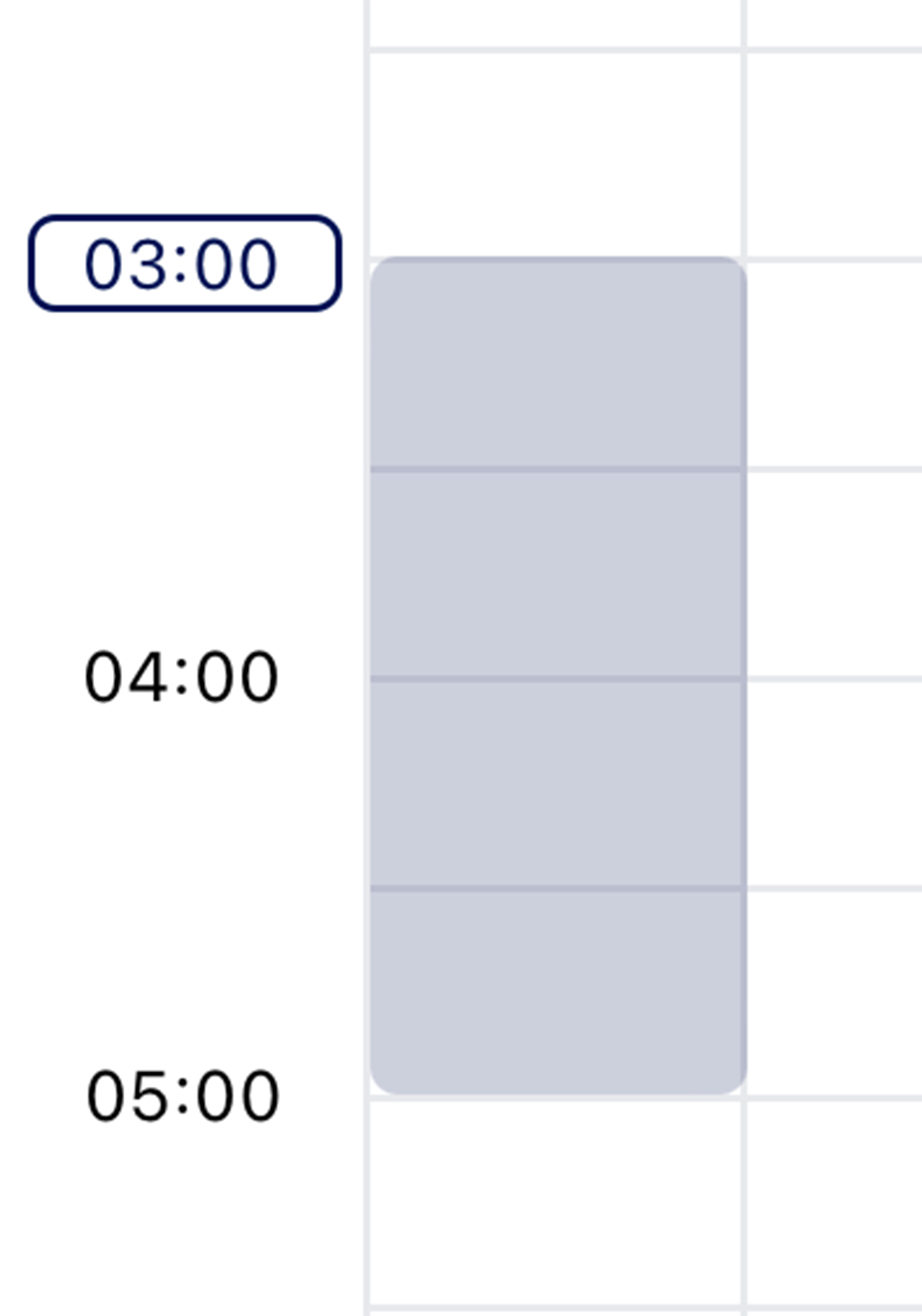
-
dragHourContainer -
dragHourText