Events
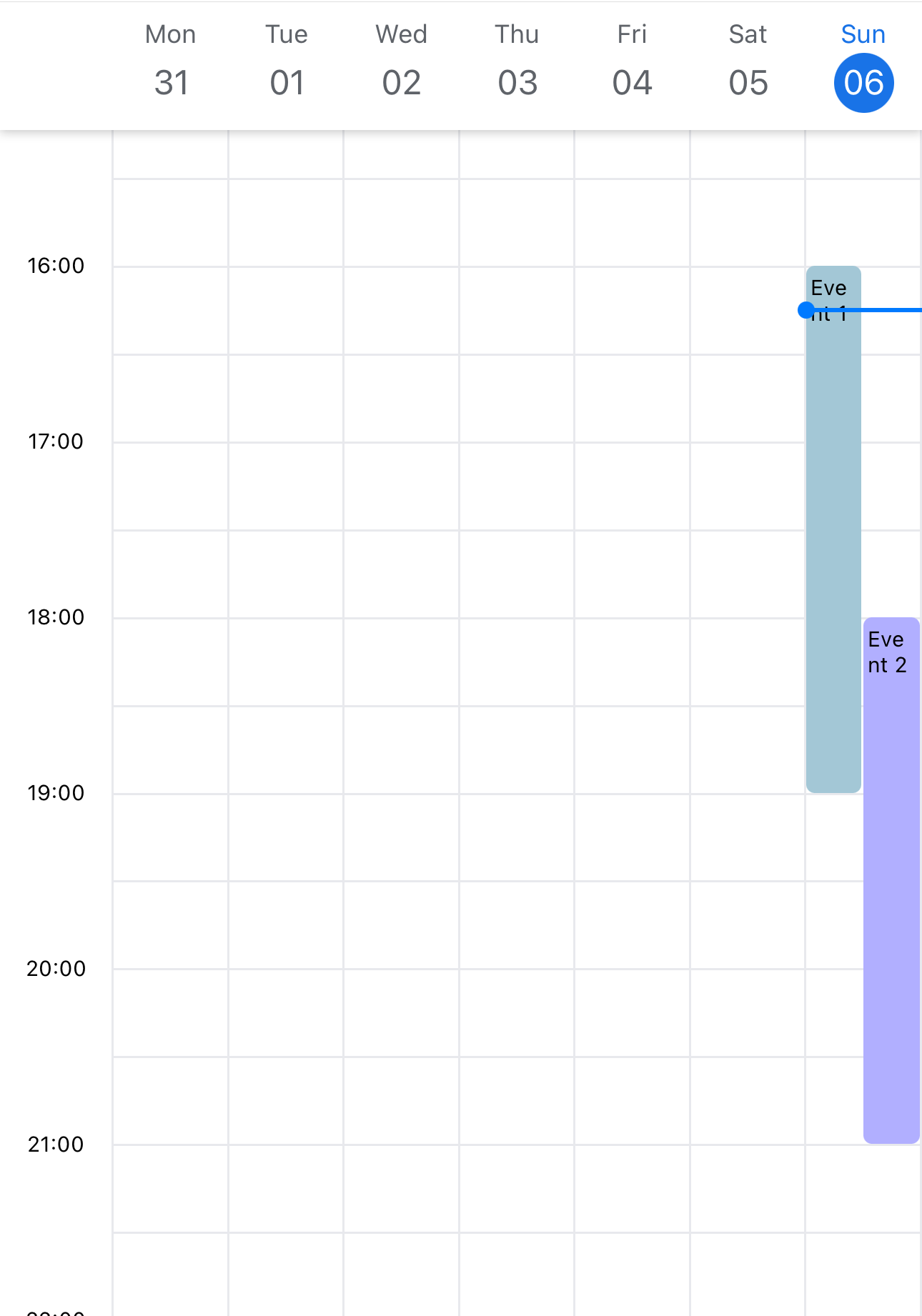
Events will be displayed in the timeline view. events is a array of EventItem
Example
Example
import { SafeAreaView, Text } from 'react-native';
import React from 'react';
import { TimelineCalendar, EventItem } from '@howljs/calendar-kit';

const exampleEvents: EventItem[] = [
  {
    id: '1',
    title: 'Event 1',
    start: '2022-11-06T09:00:05.313Z',
    end: '2022-11-06T12:00:05.313Z',
    color: '#A3C7D6',
  },
  {
    id: '2',
    title: 'Event 2',
    start: '2022-11-06T11:00:05.313Z',
    end: '2022-11-06T14:00:05.313Z',
    color: '#B1AFFF',
  },
];

const Calendar = () => {
  return (
    <SafeAreaView style={styles.container}>
      <TimelineCalendar viewMode="week" events={exampleEvents} />
    </SafeAreaView>
  );
};

export default Calendar;

const style = StyleSheet.create({
  container: { flex: 1, backgroundColor: '#FFF' },
});
EventItem Props
id
Required
Unique ID for the event.
stringstart
Required
Start date of the event
stringend
Required
End date of the event
stringtitle
Title of the event
stringcolor
Color of the event
stringcontainerStyle
Container style of the event
ViewStyleOther props
You can add more properties to use with renderEventContent
Example
const exampleEvents: EventItem = [
  {
    id: '1',
    title: 'Event 1',
    start: '2022-11-06T09:00:05.313Z',
    end: '2022-11-06T12:00:05.313Z',
    color: '#A3C7D6',
    description: 'Hello world',
  },
  {
    id: '2',
    title: 'Event 2',
    start: '2022-11-06T11:00:05.313Z',
    end: '2022-11-06T14:00:05.313Z',
    color: '#B1AFFF',
    imageUrl: 'https://picsum.photos/200/300',
  },
];